If your iPhone is full, look at your videos before your photos. A photo is a few MB. A video is hundreds of MB per minute.
How big are iPhone videos?
Typical sizes when recording in High Efficiency (HEVC) are:
- 1080p at 30 fps: about 60 MB per minute
- 4K at 30 fps: about 170 MB per minute
- 4K at 60 fps: about 400 MB per minute
- Slo-mo 1080p at 240 fps: about 480 MB per minute
These are estimates and vary with the scene. A 10-minute 4K 60 fps clip is around 4 GB. Try your own numbers in the free calculator.
Record smaller from now on
- Settings › Camera › Formats: choose High Efficiency. Most Compatible (H.264) files can be about twice as big.
- Settings › Camera › Record Video: 4K at 30 fps is far lighter than 4K at 60 fps, and 1080p is lighter still. Use 60 fps only when you need it.
Shrink the videos you already have
You can find the biggest ones by sorting in Photos or in iPhone Storage. Then, for each one, choose between three options:
- Keep it as is if it matters and you have the space.
- Make a smaller copy and delete the original: the memory stays, the gigabytes go.
- Delete it if it was a test or a mistake.
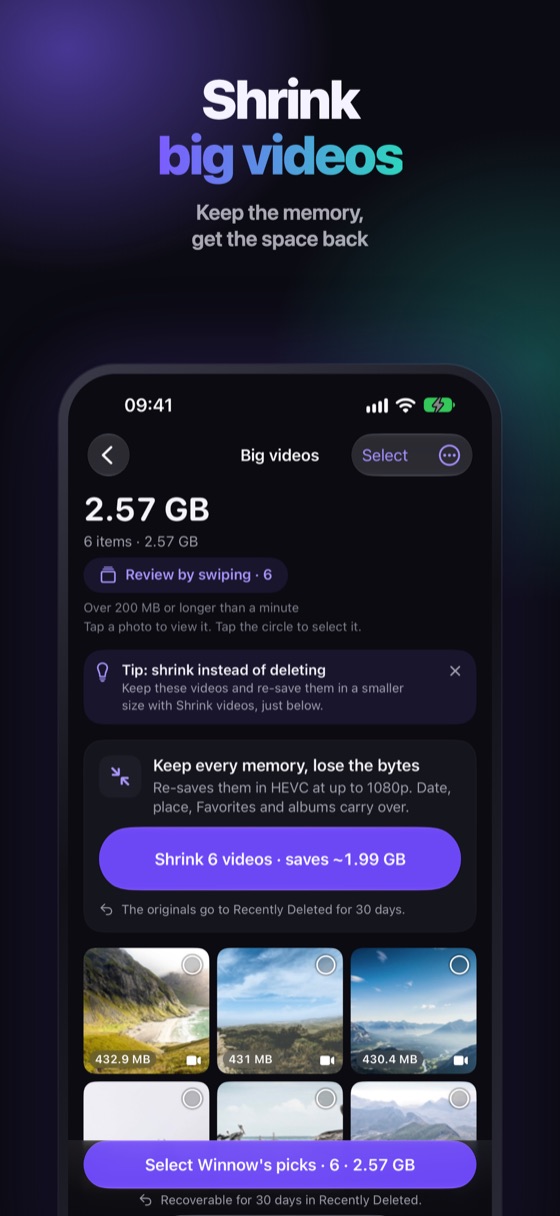
Before you delete an original, check that the shrunk copy plays and has the date and album you expect. Deleted originals stay 30 days in Recently Deleted.
Shrink videos without losing the memory
Winnow lists your big videos with the biggest first. Shrink videos (Winnow Pro) makes smaller copies that keep the date, place and albums, so the memory stays where it was. It all happens on your iPhone and nothing is uploaded.
FAQ
How much space does a minute of 4K video take on iPhone?
About 170 MB at 30 fps and about 400 MB at 60 fps when recording in High Efficiency. Exact size varies with the scene.
Does compressing a video lower its quality?
A smaller file uses a lower bitrate, so there is some loss. For videos you keep to remember an event, the difference is usually hard to notice on a phone screen.
Do I need an app to shrink videos?
The Photos app can trim a video but not shrink its bitrate. An app like Winnow's Shrink videos (Pro) makes smaller copies for you.