When the iPhone says "Storage Almost Full", the instinct is to delete apps or photos at random. A better way: find out what is big, then clear the things you will not miss first.
Step 1: see what is really using the space
Open Settings › General › iPhone Storage. The bar at the top splits your storage by category and the list below ranks your apps by size. For most people Photos is near the top, followed by Messages and a couple of heavy apps.
What to delete first, in this order
- Recently Deleted. Photos you already deleted keep using space for up to 30 days. Open Photos › Albums › Recently Deleted and delete everything there. This is the one step that costs nothing.
- Big videos. One 10-minute 4K clip at 60 fps is around 4 GB. Sort your videos by size, keep the ones that matter and delete or shrink the rest. This is usually the biggest win.
- Duplicates and similar shots. Bursts, retakes and the same photo saved twice. Keep the sharpest one. Here is how to find them.
- Old screenshots. Receipts, maps, memes and tickets from years ago. They are small one by one and large together.
- Message attachments. In iPhone Storage tap Messages, then review large attachments. Old group chats can hold gigabytes.
- Apps you don't use. Offload them: the app goes, its data stays, and you can reinstall later.
What to leave alone
- Favorites and photos of people and trips you would not replace.
- System Data: iOS manages it and it shrinks by itself when space is needed.
- Anything you are unsure about. Wait a day: a deleted photo stays in Recently Deleted for 30 days.
If iCloud Photos is on, deleting a photo on your iPhone deletes it on every device signed in to your Apple ID. Photos only stops using local space when you turn on Optimize iPhone Storage, which keeps smaller versions on the iPhone and the originals in iCloud.
How much can you free?
It depends on your library, which is why guessing is hard. If you want a rough idea before you start, the free calculator shows how much space photos and videos take, and how many fit in your free space.
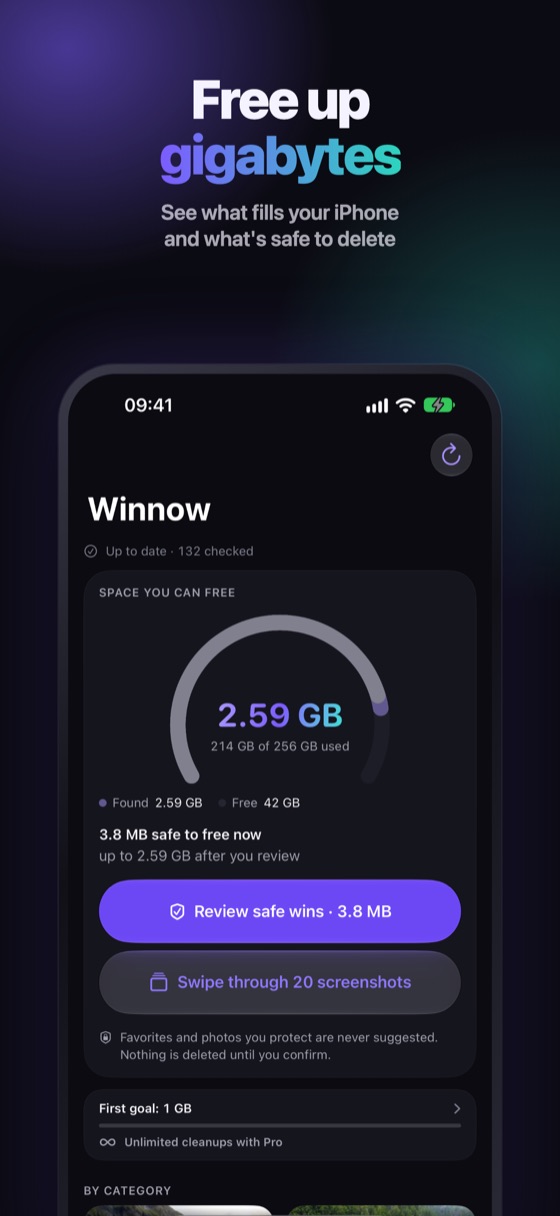
Let Winnow find the gigabytes for you
Winnow scans your photo library on your iPhone and shows the real amount you can free, starting with your biggest win: similar shots checked visually, big videos, screenshots and copies. Every suggestion comes with a reason, at least one shot of every similar group always stays, Favorites are never suggested, and everything you delete waits 30 days in Recently Deleted.
FAQ
What should I delete first when my iPhone storage is full?
Start with Recently Deleted, then big videos, duplicate and similar photos, old screenshots, message attachments and apps you don't use, in that order.
Is it safe to delete System Data?
You can't delete it directly. iOS manages System Data and shrinks it when it needs space, so focus on photos, videos, messages and apps instead.
Why is my iPhone still full after I deleted photos?
Deleted photos stay in Recently Deleted for 30 days and keep using space until you delete them there. More on that here.